
Vending Machine Branding Approval: What to Check Before Printing
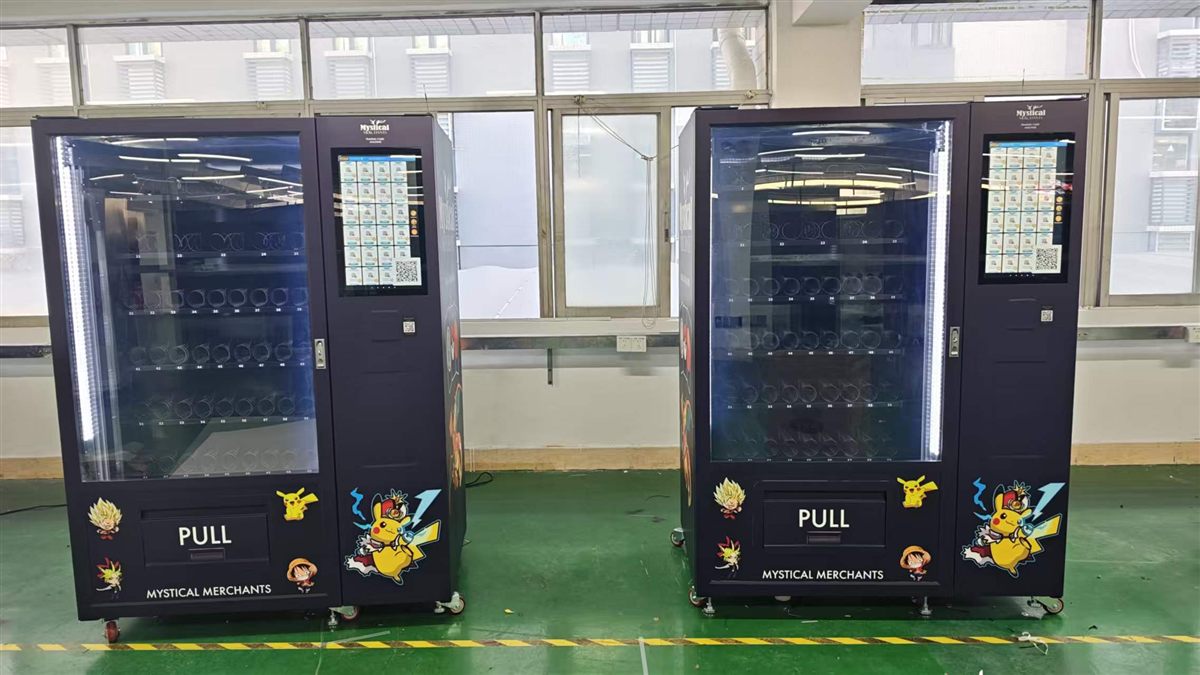
Approve a vending wrap against the final cabinet drawing, not only a flat logo mockup. A design can look correct on screen while placing text across a service-door seam or a payment reader. Ask for the artwork template for the ordered configuration before preparing print files.
Check the physical interruptions
Locate door edges, hinges, locks, pickup openings, vents, displays and payment hardware on the supplier’s template. Keep required operating labels visible. Confirm which areas can be wrapped and which must remain clear for ventilation, maintenance or customer use.
Ask the printer or supplier for its required bleed, safe areas, file format and color workflow. Do not invent a universal trim margin or assume a screen preview is a color proof. Confirm whether a sample proof is available and what the approval covers.
Review the cabinet and screen together
Compare company name, product descriptions, contact information and customer steps across the wrap and the supplied screen content. Establish who provides translations and who approves the final interface. Printed payment symbols should reflect the confirmed local integration, not a method that has merely been discussed.
Record the approved version
Keep the file name, revision, machine model and approval date with the order. Request confirmation of any hardware change that affects the graphic layout. A revised door, screen or terminal position can invalidate a previously approved template.
Before shipment, compare photographs of the completed cabinet with the approved file. For custom vending configurations, include artwork responsibility and proofing scope in the quote. Send WEIMI your brand files and cabinet requirements to obtain the correct template. Review the service plan so branding does not obstruct access needed later.
What to Send for a Vending Machine Quote: A Buyer’s Information Form
Vending Machine Connectivity Survey: Test the Exact Position Before Installation
Related Article


