
Category


WEIMI WM22ZLD AI Visual Recognition Smart Fridge for Unattended Retail
WM22ZLD AI smart fridge: key facts
AI product recognition
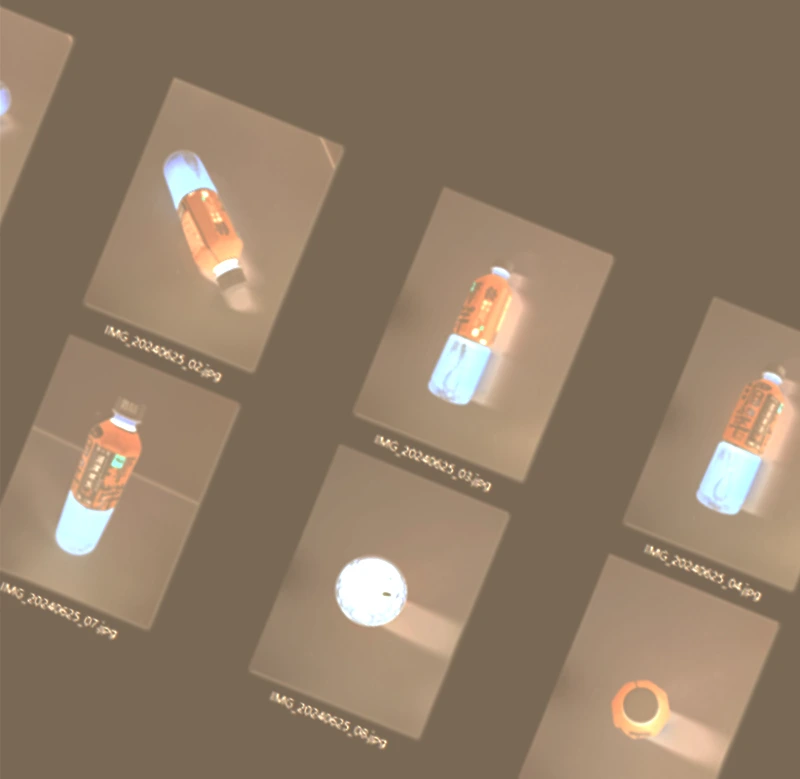
Camera views analyze the product-taking process to support recognition of the selected items.
21.5-inch touchscreen
Present retail information and guide customers through the configured access and shopping flow.
Five display levels
Arrange compatible packaged goods on accessible shelves; capacity depends on the approved assortment.
Connected management
Review supported sales, stock and machine information using PC and smartphone management systems.
Open-door shopping for a connected retail point
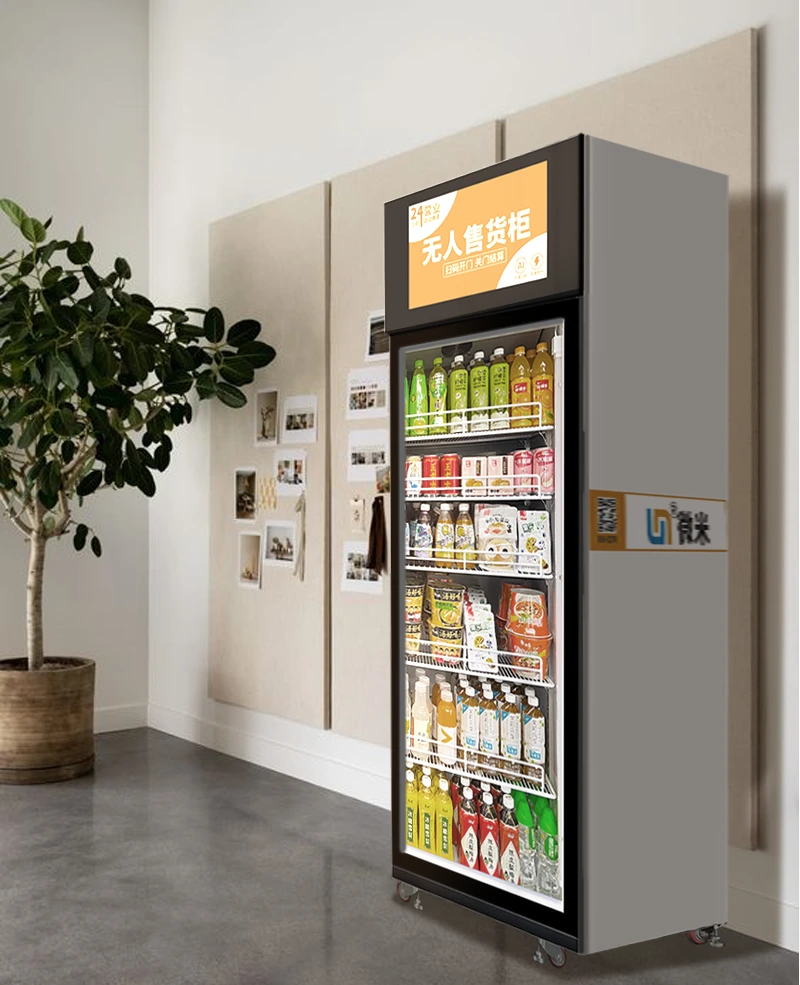
Give customers a familiar way to choose refreshments
The WEIMI WM22ZLD AI smart fridge vending machine combines a single-door display cabinet with camera-based product recognition. Customers start the configured access process, open the door, choose compatible items and close the door for settlement. The experience is designed around taking products directly from the shelves.
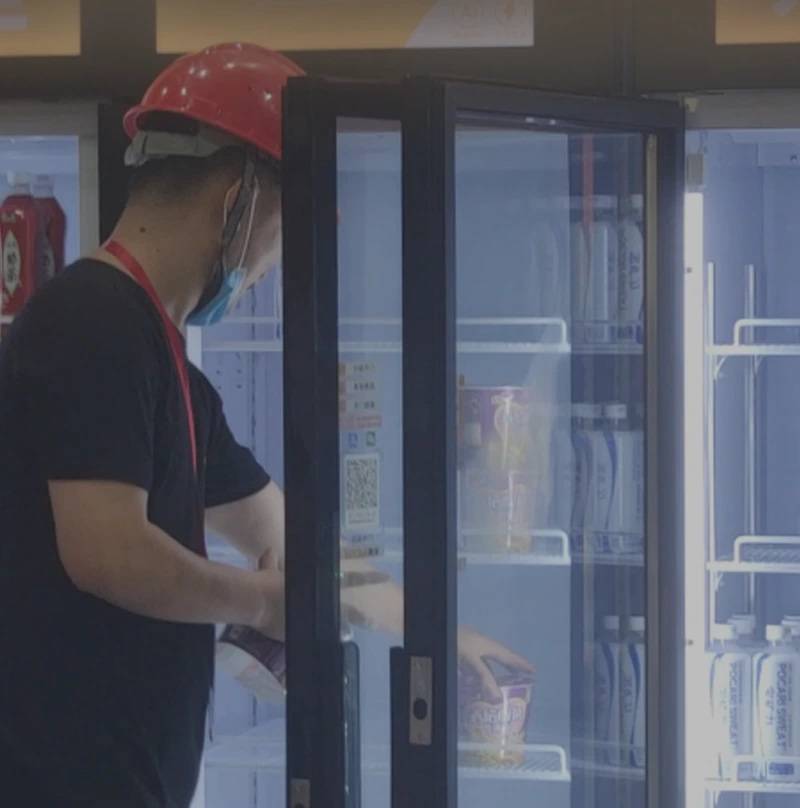
A successful installation brings the cabinet, product catalog, recognition setup, payment hardware and refill routine together. Use the WM22ZLD as a planned retail point for snacks, beverages and compatible packaged meals, with the actual assortment checked before launch. The scene shown is a placement illustration, not a customer installation claim.
Match the assortment to the location
Start with the goods people need at the venue, then define how they will be stored, recognized and replenished. The following applications are planning examples for suitable indoor locations; access hours and site permission determine when customers can shop.
Office refreshments
Offer packaged drinks and snacks close to employees. Review break patterns, shared-space access and the person responsible for restocking and customer support.
Malls and commercial premises
Place the cabinet where permitted foot traffic can browse safely. Confirm available power, network coverage, door opening clearance and service access with the property manager.
Packaged meals and produce
Salads, meal boxes, cups, fruit and vegetables can be assessed for the intended build. Packaging, storage requirements and recognition performance need to be checked for every proposed item.
For continuous unattended retail, the venue must remain accessible and an operator must maintain the assortment and respond to exceptions. A machine can support self-service shopping; it does not remove the need to manage availability, food handling or customer questions.
How customers shop: four connected steps
1 · Start access
Tap or scan using the access method supplied for the project. The payment provider and account setup determine any authorization steps before the door opens.
2 · Open and choose
Open the door and take the desired products directly from the display shelves. Keep the catalog and the physical assortment aligned so customers can identify what they are selecting.
3 · Recognize items
Dual camera views work with the vision algorithm to analyze the product-taking process. Test representative handling patterns and packages during commissioning.
4 · Close and settle
Close the door to complete the configured settlement flow. Confirm the customer receipt, transaction status and support process for the chosen payment integration.
Six functions for practical unattended retail
Use these functions as a configuration checklist when comparing the customer experience with the work of operating the cabinet. The supplied hardware, software and service scope should be confirmed together.
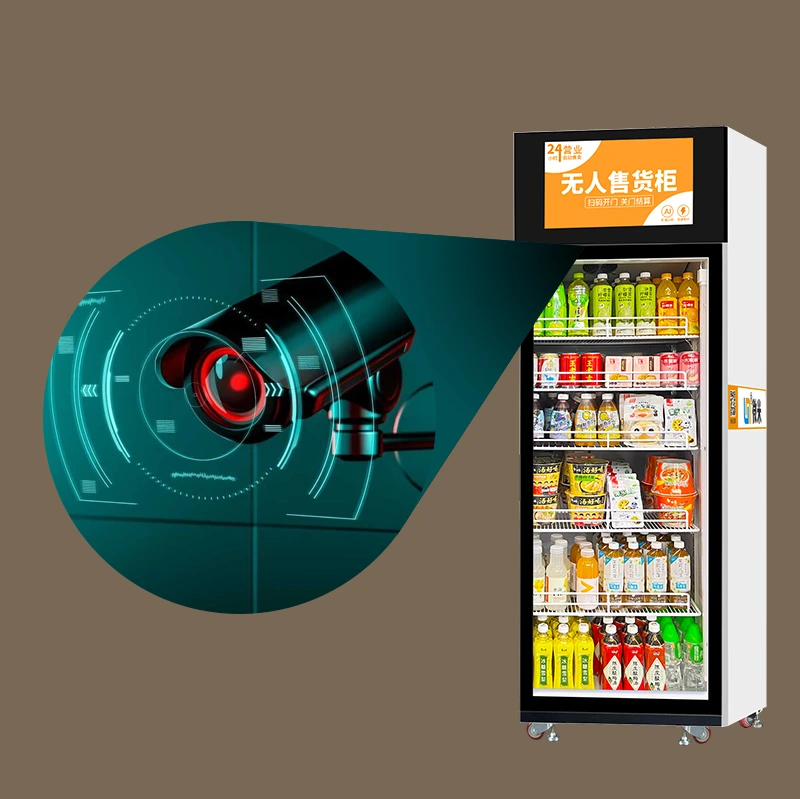
Camera recognition around the actual product range
The visual recognition vending machine uses dual camera views and a vision algorithm to support item identification. This lets the customer-facing journey focus on opening the cabinet and taking products rather than entering a separate product code for each item.
Recognition should be assessed using the goods that will actually be sold. Package graphics, similar flavors, reflective surfaces and the way customers handle items can all be relevant to acceptance testing. No universal recognition accuracy is promised here.
- Provide the planned SKU list and representative physical samples.
- Test similar-looking packages and more than one item in a shopping session.
- Agree acceptance criteria and an exception-review process before launch.
Remote visibility for daily operating decisions
The connected PC and smartphone systems support remote review of sales, inventory and machine status. Product and price updates can be part of the supplied management functions, helping operators coordinate changes across the customer interface and stock records.
Confirm which functions, accounts and service terms are included in the quotation. Reliable connectivity and clear responsibility for follow-up remain necessary: a dashboard supplies information, while an operator decides what action to take.
- Confirm account permissions and the supplied software features.
- Check network coverage at the actual cabinet position.
- Agree who handles machine alerts and transaction questions.
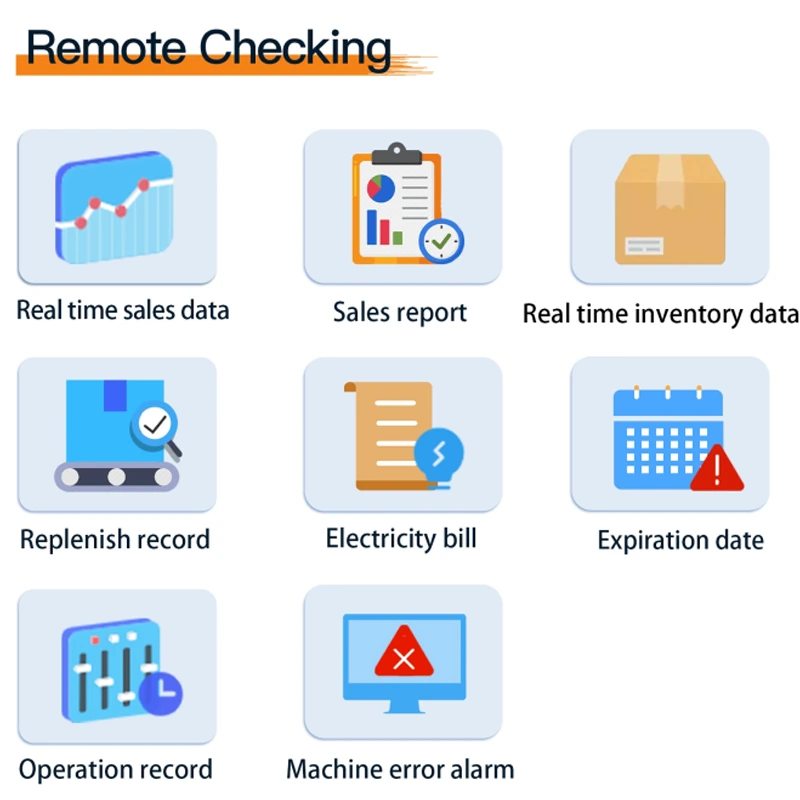
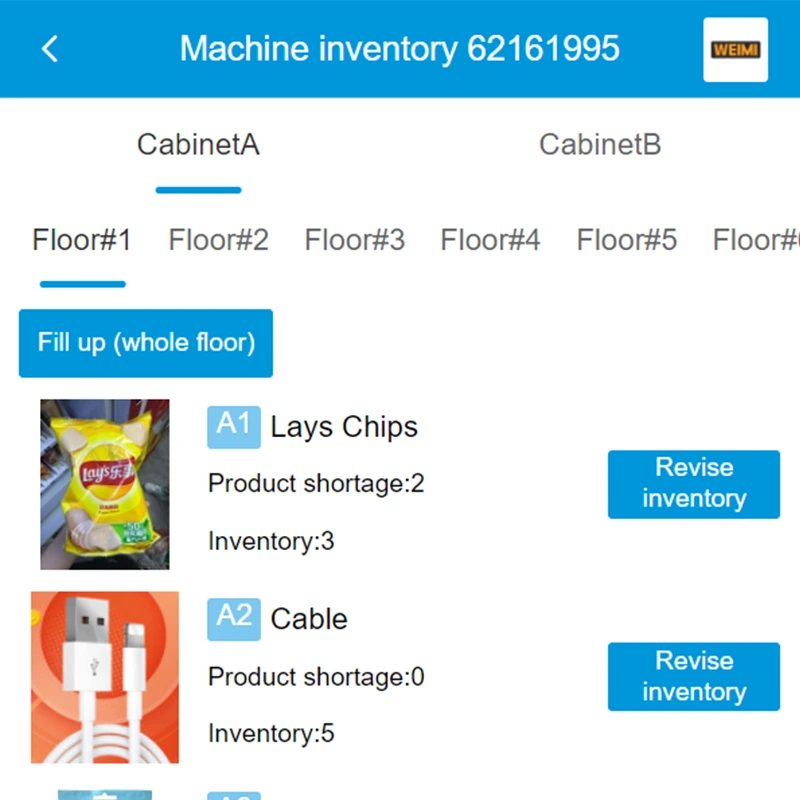
Stock information that supports focused refill visits
Inventory information and low-stock reminders help operators identify replenishment priorities. Before a route starts, the operator can review what is needed and prepare suitable replacement stock, instead of relying only on a physical inspection at each location.
Use remote counts alongside refill records and regular shelf checks. A reliable routine should include product rotation, pack condition, shelf assignments and the accuracy of the stock entered into the management system.
- Confirm the available low-stock alert rules.
- Record quantities added and removed during each refill.
- Review slow-moving selections as well as products that frequently sell out.
Validate the recognition and settlement flow together
A correct product catalog is one part of a dependable transaction. Demonstrate the full journey from access authorization to taking an item, closing the door and checking the resulting transaction. Review the supported process for an item returned before the session ends.
Before changing a live assortment, confirm how new products and redesigned packaging are registered and tested. Keep an agreed route for reviewing recognition exceptions and disputed transactions so staff know what evidence and action are required.
- Include realistic product combinations in the trial.
- Confirm customer support and transaction-review responsibilities.
- Retest new packaging before it enters the active assortment.
Five display levels for an organized assortment
The listed cabinet provides five display levels for compatible goods. Plan shelf positions around package dimensions and visibility, then review the recognition setup using that arrangement. Five levels describe the layout; they do not establish a fixed number of sellable units.
A refill visit should leave the cabinet ready for the next customer. Check the door and lock, keep the product presentation clear and follow the agreed operating procedure. Confirm cleaning and maintenance instructions for the final build during handover.
- Send package width, depth, height and filled weight.
- Request a shelf and capacity plan for the exact assortment.
- Train refill staff on stock updates and the approved product layout.
Specify cooling, payment and branding as one project
The WM22ZLD can be specified with a 4–20°C cooling configuration or a −20°C frozen configuration. Select the build for the goods being sold and confirm its operating conditions in writing. These are alternative configurations, not a promise that every cabinet switches between both ranges.
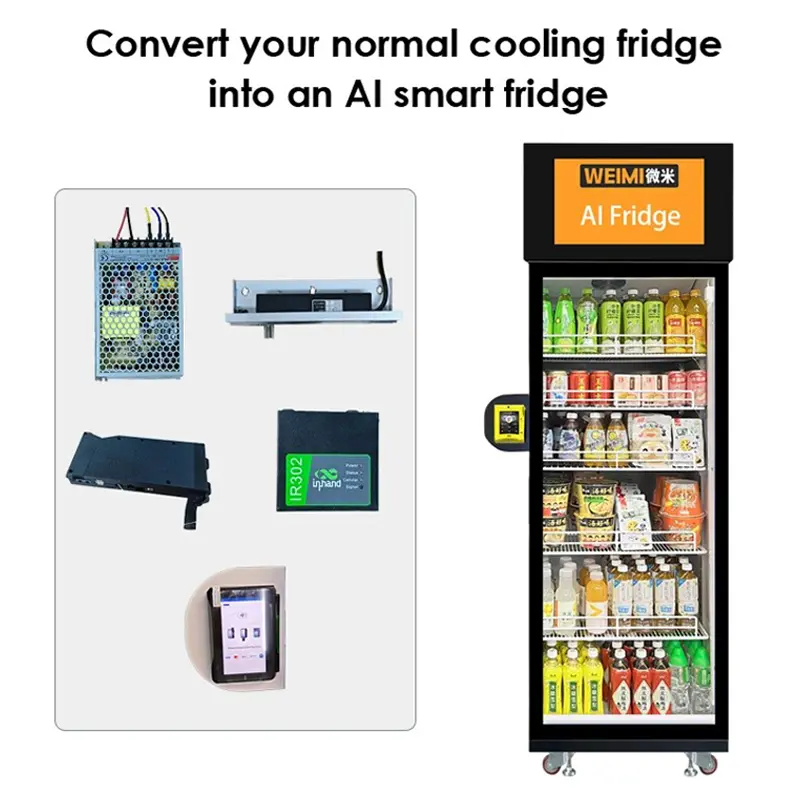
Optional bank-card or member-card readers can be scoped for the destination. Cabinet graphics and screen content can also be discussed. The component illustration shows an integration concept; compatibility with an existing refrigerator requires a separate engineering review.
- Confirm the temperature configuration and electrical requirements.
- Specify the country, currency and intended payment provider.
- Approve cabinet artwork and the final customer interface.
WM22ZLD technical specifications
| Model | WM22ZLD |
|---|---|
| Cabinet format | Single-door AI visual recognition smart fridge |
| Dimensions | W68 × D70 × H199 cm |
| Product display | 5 display levels |
| Touchscreen | 21.5 inches |
| Operating system | Android 11 |
| Memory | 16 GB ROM / 2 GB RAM |
| Recognition | AI visual recognition with dual camera views |
| Connectivity | Wi-Fi, 4G SIM card and LAN; confirm supplied hardware and local compatibility |
| Lock | Electrical lock |
| Temperature options | 4–20°C cooling OR −20°C frozen configuration; project selection required |
| Door | Double-layer tempered glass |
| Door features | Electric defogging and LED lighting strips |
| Management | PC and smartphone systems |
| Optional payment hardware | Bank-card reader or member-card reader; provider and destination to be confirmed |
The values above describe the listed reference configuration. Request the final specification, included components, electrical rating, service clearances and operating conditions for the ordered build. Dimensions alone do not establish storage capacity or installation suitability.
Prepare a deployment that can be tested
Define products and storage
Send the assortment, physical samples, package sizes and required storage conditions. Select cooling or frozen operation for the proposed range, then agree the shelf layout and product-registration process.
Confirm the destination
Provide the country, venue, access route, power standard and network preference. Review unloading, doorway and lift dimensions as well as the final cabinet footprint and door clearance.
Demonstrate the full journey
Test access, recognition, closing, settlement and the supported notification flow. Confirm training, replenishment responsibilities, maintenance instructions and how customers obtain help.
Request an itemized quotation covering hardware, software functions, any ongoing services, delivery scope, commissioning and support. Quantity, production timing and warranty terms should be agreed for the project rather than assumed from a general product listing.
AI smart fridge: frequently asked questions
1. What is the WEIMI WM22ZLD?
The WM22ZLD is a single-door AI smart fridge for compatible products. It combines camera-based recognition, a 21.5-inch touchscreen, five display levels and connected management functions for an unattended retail point.
2. What products can it sell?
Packaged drinks, snacks, cups, salads, meal boxes and compatible produce can be assessed. Confirm shelf fit, packaging, recognition and storage conditions using the actual assortment before approving the configuration.
3. How are purchases recognized?
Dual camera views and a vision algorithm analyze the product-taking process to support item identification. Demonstrate representative shopping sessions and agree acceptance criteria for the products being sold.
4. Is recognition accuracy guaranteed for every product?
A universal accuracy figure is not specified here. Recognition needs to be validated using real packages, similar products and customer handling. Agree the trial, acceptance criteria and exception-review process in writing.
5. Does the cabinet refrigerate and freeze?
The listed options are a 4–20°C cooling build or a −20°C frozen build. Select the required configuration for the project and confirm its conditions; do not assume both ranges are included in one cabinet.
6. How much stock does it hold?
The reference lists five display levels. Total capacity depends on package size, shelf arrangement and the approved product range. Request a capacity plan for your assortment rather than using the shelf count as a unit count.
7. Which payment methods can be used?
Bank-card and member-card readers are listed as optional hardware. The provider, country, currency, interface and settlement process need confirmation for the destination project.
8. Can stock and sales be checked remotely?
PC and smartphone management systems support remote review of sales, inventory and machine status. Confirm the included functions, alerts, account access and network requirements in the supplied package.
9. Can an existing refrigerator be converted?
The component illustration shows an integration concept. For an existing refrigerator, submit the existing cabinet information for a separate review of cameras, lock, controller, wiring and software integration before committing to a conversion.
10. What should I send for a quotation?
Provide model WM22ZLD, destination, venue, quantity, product samples and dimensions, storage needs, payment preferences, network environment and electrical standard. Request the final configuration, capacity plan, services and delivery terms.
PLAN YOUR SELF-SERVICE RETAIL POINT
Request a WM22ZLD AI smart fridge configuration
Plan an unattended retail smart fridge around your product range, venue and destination. Share these details through the enquiry form so WEIMI can review the recognition setup, shelf layout, temperature choice and payment integration for your unattended retail project.
 Weimi AI Vending Machine with Cashless Payment Fast Shipping from US WarehouseCommercial AI vending machines with US stock available. Vision recognition, cashless payment, remote management, and fast US shipping.AI vending machineUS $3,891.00 - US $4,500.00Send Inquiry
 AI Smart Deli & Ready Meal Vending Machine with Refrigerated Storage for Supermarkets and 24/7 Self-Service Food RetailWEIMI AI deli vending machine offers refrigerated storage, 99.5% AI recognition, cloud management, and no SaaS fees for 24/7 food retail.AI vending machineSend Inquiry
 WEIMI Refrigerated Meat Vending Machine: Grab & Go Smart Fridge for SupermarketsWEIMI Refrigerated Meat Vending Machine: Premium weight-sensor smart fridge for supermarket retail. Seamless grab-and-go experience boosts sales by 20-30%.Refrigerated vending machineSend Inquiry
 -22℃ Smart fridge vending machine for sale for ice cream, frozen meat, frozen food with card reader-22℃ Smart fridge vending machine for sale for ice cream, frozen meat, frozen food, with weight sensor technology for selling goods by piece or by weight.Smart fridge vending machine(Double door with frozen system)US $3,108.00 - US $3,410.00Send Inquiry
Send Message